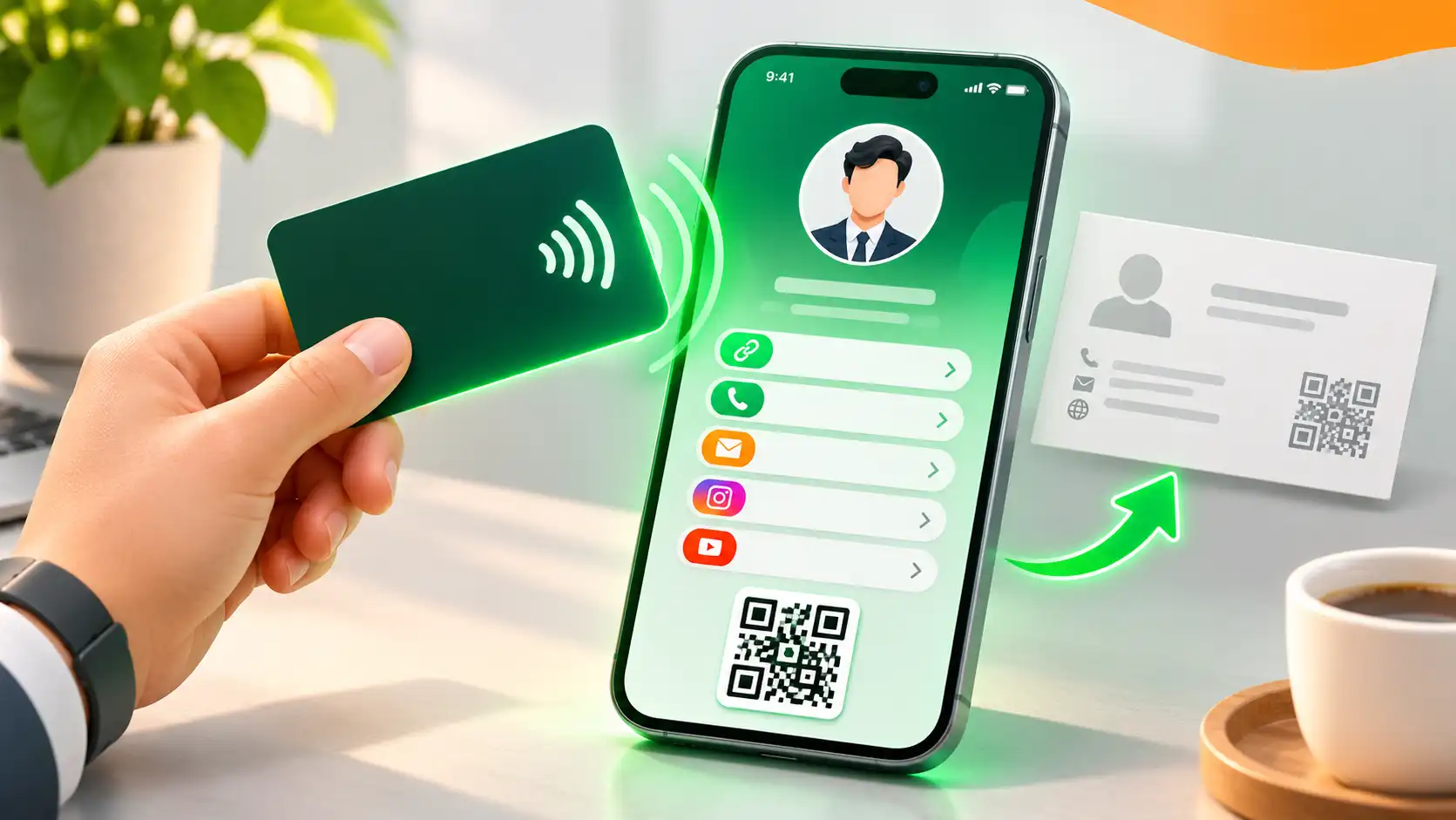
Paper business cards get lost, go out of date and tell people very little. An NFC digital business card fixes all three: one tap of a card opens a live online profile with your contact details, links, offers and more. This guide explains how it works, what it costs in India and how to set one up for free with GoWithLink.
What is an NFC digital business card?
NFC (near-field communication) is the same short-range technology used for contactless payments. An NFC business card contains a tiny chip that stores a web link. When someone holds their phone near the card, the phone opens that link — your smart profile — in the browser. Nothing needs to be installed on their phone, and it works on both iPhone and Android.
How does it work?
- You create an online profile with your photo, details, links and any extras.
- The profile’s link is written to an NFC card or sticker (or shown as a QR code).
- Anyone can tap the card, scan the QR or open the link to see your profile.
- They can save your contact to their phone and send theirs back in one tap.
NFC card vs QR code vs paper card
| Paper card | QR code | NFC card | |
|---|---|---|---|
| Update details without reprinting | No | Yes | Yes |
| Works without an app | — | Yes (phone camera) | Yes (tap) |
| Speed | Slow — needs typing | Fast | Fastest |
| See who viewed it | No | Yes | Yes |
| Can be printed on menus, posters, packaging | No | Yes | As stickers |
The best setup uses all three: an NFC card for meetings, a QR code on printed material and a short link for WhatsApp, Instagram and email signatures — all pointing to the same profile.
Who benefits most?
- Founders and sales teams — share your pitch, catalogue and WhatsApp quote link in one tap.
- Restaurants and cafés — put a digital menu with veg/non-veg tags, WhatsApp ordering, UPI payment and a Google review button behind one QR code.
- Creators and influencers — a media kit, rates and a collaboration form in one place.
- Students and job seekers — a resume, projects and certificates on a QR code for your CV.
- Clinics, salons, gyms, real-estate agents and event planners — services, bookings, offers and reviews.
How to create your profile with GoWithLink
- Claim your link. Pick your name on GoWithLink — the free plan needs no card and takes about two minutes.
- Choose a profile type such as business card, company, founder, sales, creator, student, restaurant menu or link-in-bio.
- Add blocks in the drag-and-drop editor — links, gallery, FAQs, forms, UPI pay and more — with a live preview and ready-made themes.
- Share it. Use the QR studio to create a branded QR code with your logo, copy the short link, or write the link to an NFC card.
How to put your link on an NFC card
- Buy blank NFC cards or stickers (NTAG213, NTAG215 or NTAG216). Online they typically cost about ₹30–150 each.
- Install a free NFC writer app on your phone.
- Choose Write, add a URL record and paste your GoWithLink address.
- Hold the card to the back of your phone until the app confirms, then test it by tapping.
Features that turn a card into a lead machine
- One-tap Save Contact — visitors save your details as a contact, then can send theirs back.
- Lead capture — a form block collects name, phone and message; you get an email alert and a lead inbox with CSV export.
- Analytics — views, unique visitors, clicks, devices and whether visitors came from NFC, QR or a link.
- UPI payments and Google reviews — get paid and collect reviews from the same profile.
- Schedule blocks — show an offer only during set times.
- Permanent ID — change your link without reprinting cards or QR codes.
GoWithLink plans and pricing
| Plan | Price | Highlights |
|---|---|---|
| Free | ₹0 | 1 personal + 1 company profile, QR and NFC ready, 7-day analytics |
| Pro | ₹1,499 / year | 3 + 3 profiles, unlimited leads with CSV export, remove GoWithLink badge, QR with your logo |
| Business | ₹3,999 / year | 5 personal + 10 company profiles, team of 100, 1-year analytics, custom domain support |
Prices and limits can change, so check the product page for the latest plans.
Tips for a great digital card
- Lead with one clear action — call, WhatsApp or book — not twelve links.
- Use a sharp photo or logo and keep your theme simple.
- Add a Save Contact button and a short lead form.
- Put the QR code everywhere: invoices, packaging, shop windows, email signatures.
- Check analytics monthly and remove links nobody taps.
Start free today
Create your smart profile in minutes — explore GoWithLink, or talk to 91Technologies if you want a custom profile setup for your whole team.